
You can add contacts to your database manually or in bulk.
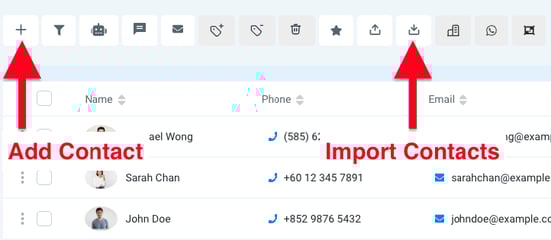
🖐️ Manually Add a Contact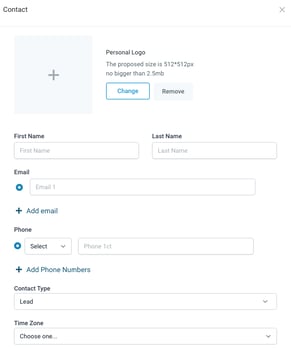
To quickly create a single contact:
-
Go to the Contacts page
-
Click the + button in the top-left corner
-
Fill in details like name, email, and phone
-
Click Save to add the contact to your system
This is ideal when you only need to add a few people on the fly.
📁 Importing Contacts in Bulk
For adding multiple contacts with additional details, use the Import Contacts button.
You can upload a CSV file with rows representing contacts and columns for fields like:
| Name | Phone | Country | |
| John Doe | johndoe@example.com | +85212345678 | Hong Kong |
| Sarah Chan | sarahchan@example.com | +11234567891 | United States |
⚠️ Always include the area code in phone numbers.
If you're using Google Sheets or Excel, start the phone number with a single quote ' to preserve the + sign formatting.