
The default Contacts view shows basic info like name, email, phone, tags, and activity. But you can tailor the layout to match your use case.
Add or Remove Columns
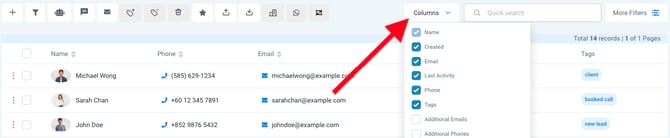
By default, your contact list shows fields like:
-
Name
-
Email
-
Phone
-
Creation date
-
Tags
🛠️ Create Custom Fields
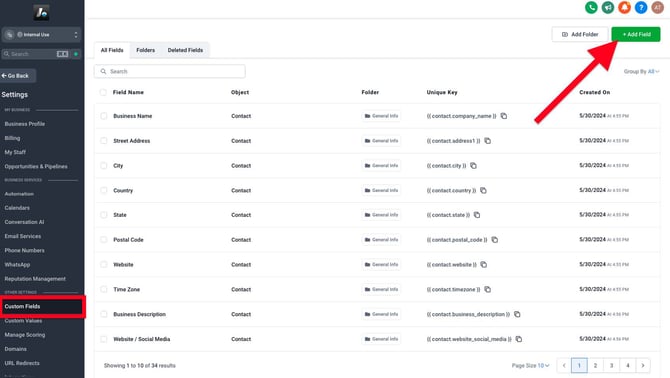
Need to track something specific, like birthday, lead source, or referral type?
You can create custom fields:
-
Go to Settings in the bottom-left corner of the platform
-
Click Custom Fields
-
Create new fields and assign them to the Contact object
These custom fields will then be available to include in your Contacts view.