
Need to clean up your database? Deleting contacts is quick and reversible (within a time window).
-
Go to the Contacts page
-
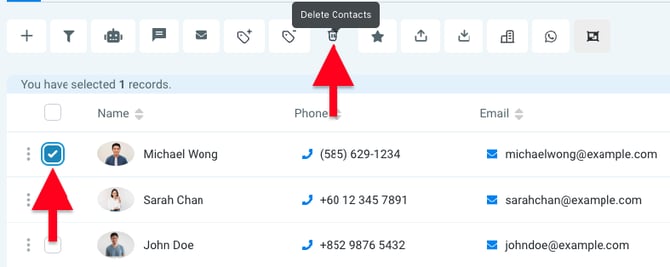
Select the checkbox next to each contact you want to remove
-
Click the Delete Contacts button at the top of the page
-
Confirm the deletion to remove them from your database
🔄 Accidentally deleted someone?
Deleted contacts can be restored within 60 days using the Restore function at the top of the page.