
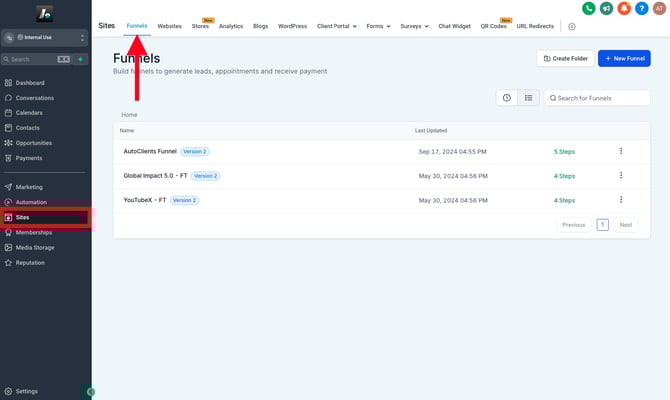
To start building your website, go to:
- (For Funnels) Sites → Funnels → + New Funnel
- (For Websites) Sites → Websites → + New Website
💡 Tip: If you’re unsure which to choose, check out the Websites Overview article first
📁 Start from Scratch or Use a Template
When creating a new site (funnel or website), you’ll be asked to choose one of two options: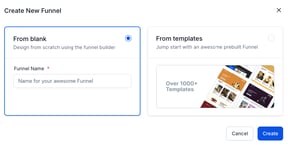
-
Start from scratch, or
-
Use a pre-designed template to start
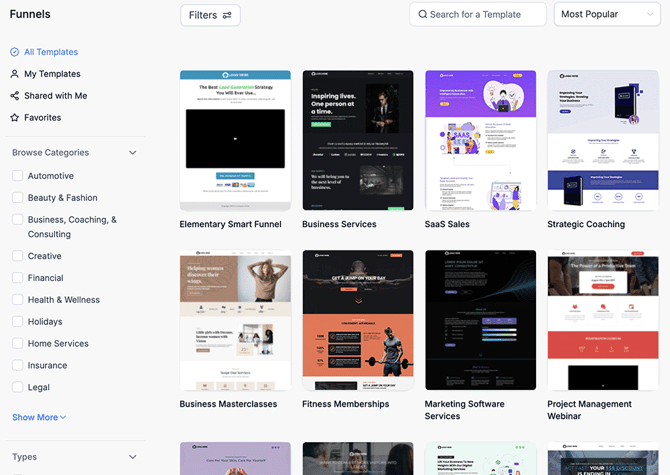
If you choose a template, you'll be shown a library of over 1,000 professionally designed multi-page layouts, tailored for different industries and use cases.
Templates apply to the entire site — meaning multiple steps (for funnels) or pages (for websites) will be included automatically. If you prefer to build one page at a time, choose the Start from Scratch option. You can still use page-specific templates later when adding individual steps or pages.
📝 Naming Your Site, Pages & Paths (URL)
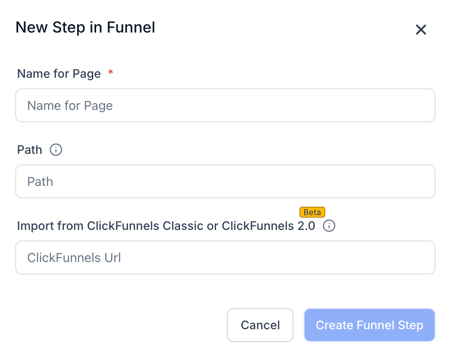
When creating a funnel or website — whether from scratch or from a template — you’ll be asked to provide:
-
Site/Page Name – The internal name used to help organize your site. This will not be visible to visitors.
-
Path – The URL slug for the specific page or step, which appears after your connected domain.
- (Optional) Import from Clickfunnels - This option can be ignored if not used
Example: If your domain is example.com and your page path is services, the full page address (URL) will be example.com/services.
Not sure what to use yet? Just type a placeholder first, you can update this later.
For more details on domains and paths, see the Domain Connection article.
⚙️ Basic Funnel Setup
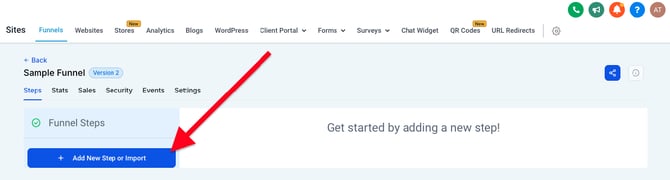
If you selected a template, several pre-built steps with pages will already be included in your funnel. If you started from scratch, you’ll need to manually add your first step before building.
When adding a step, you’ll be prompted to:
-
Enter a name and path (as noted above)
-
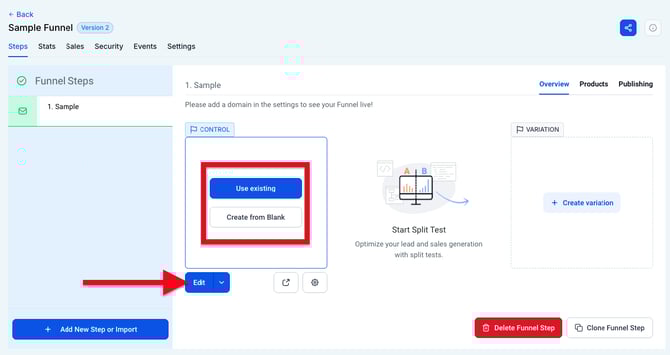
Choose between starting from a blank page or applying a page-specific template
This choice affects only that step, not the entire funnel.
⚙️ Basic Website Setup
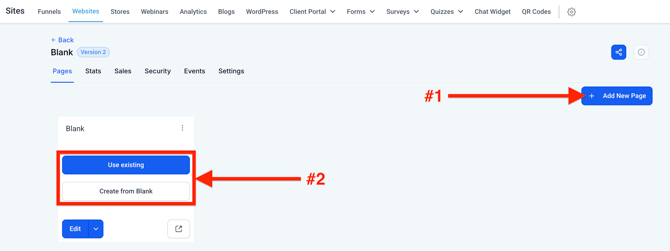
If you selected a template, several default pages will be automatically included in your website folder. If starting from scratch, your site will be empty until you manually add pages.
When adding a new page, you’ll be prompted to:
-
Enter a Page Name (internal use only)
-
Set the Path (the visible portion of the URL after your domain)
Just like with funnels, you can choose between a blank page or a page-specific template when adding a new page.